An Industrial Development Environment.
Crucible is a lightweight, AI-driven Integrated Development Environment (IDE) utilizing a hybrid architecture. It combines a native desktop webview shell with an asynchronous Node.js backend and local Large Language Model (LLM) inference to create a unified, hardware-sovereign workspace.
Design Philosophy & Context
Crucible emerges from the necessity for an AI-assisted workspace that refuses to compromise local host resources or data sovereignty.
Standard web applications lack the necessary native file system handles and direct shell permissions required for deep compilation loops. Conversely, traditional desktop wrappers like Electron introduce severe memory bloat and runtime performance degradation by packing entire independent browser footprints into memory.
Crucible resolves this dichotomy through a C# Photino shell. Photino acts as a microscopic native interface wrapper, leveraging the host operating system's existing built-in web rendering engine rather than bundling an entire Chromium instance. This architecture ensures the application resource footprint remains exceptionally lean while granting the Node.js backend unrestricted access to local execution environments.
The Four Operational Pillars
The continuous growth and optimization of Crucible rely on strict adherence to four foundational mechanical concepts.
1. Lightweight Execution
The system aggressively minimizes local dependencies. The backend relies solely on native Node.js operations and critical C/C++ bindings (node-pty). The frontend deliberately offloads heavy text-rendering engines (Ace Editor) and terminal emulators (xterm.js) to remote Content Delivery Networks (CDNs), keeping the local installation lean and fast.
2. High-Performance Iteration
By utilizing a twin-editor differential buffer, the system handles extensive AI code generation without freezing or cluttering the primary workspace UI. The semantic vector indexing (RAG) performs rapid cosine similarity calculations directly in memory, injecting context into the AI prompt instantly.
3. Absolute Data Sovereignty
The environment operates completely offline regarding telemetry, source code, and intellectual property. AI inference routes strictly through local hardware endpoints (targeting 127.0.0.1:1234). Proprietary logic and developer interactions never transmit to external API providers.
4. Structural Security
Autonomous code generation inherently introduces risk. Crucible mitigates this through isolated execution via the Shadow Forge protocol. The system duplicates incoming logic to a quarantined /tmp directory, running strict Node.js syntax checks to verify structural integrity before authorizing a merge into the primary buffer.
1. Dual-Environment Topology
Crucible is explicitly engineered to run interchangeably across separate execution models without fracturing its operational capabilities. The runtime dynamically scales depending on its environment context.
Standard Web Environment
When initialized within a typical browser container like Firefox, Crucible runs safely inside the browser sandbox. File access is marshaled strictly over atomic HTTP requests directed back to a local asynchronous Node.js backend. User inputs use manual text entry fields, preserving system security without sacrificing core compiler interactions.
Host Native Shell
When executed inside its custom standalone C# wrapper using .NET Photino, Crucible activates its outer hull. It bypasses webview limitations by establishing a structural string bridge, enabling native window manipulation, direct system execution, and process orchestration directly inside the Linux environment.
2. Integrated Core Systems
Detailed breakdowns of the structural mechanisms moving data through Crucible's forge engines.
Dual-Buffer Differential Merge
Crucible employs a twin-editor layout. The primary buffer holds the active file, while the secondary output buffer captures AI-generated logic. Built-in surgical guards prevent catastrophic code loss by automatically rejecting merge attempts if the incoming AI payload is significantly shorter than the existing file block.
Semantic RAG Indexing
The system scans the local working directory and generates a vector_index.jsonl local database. When directives are sent to the AI, the backend automatically extracts and injects the top five most relevant file excerpts directly into the prompt context, allowing the local LLM to "see" surrounding project file states.
Integrated Source Control
A built-in GUI wrapper manages local Git operations. It tracks staged, unstaged, and untracked files in real-time, executing commits and push/pull operations via the Node.js backend. It natively supports GitHub Personal Access Token (PAT) injection for remote authentication over secure HTTPS.
Telemetry & Live Preview
Bash Terminal: A fully interactive terminal piped directly to the host machine's shell via WebSockets and node-pty bindings.
Sandboxed Preview: An embedded iframe viewport for testing active HTML/JS/CSS frontends. An interceptor script captures DOM events and routes console logs straight back to the main terminal view.
switch (msg.Command) {
                    case "PICK_FOLDER":
                    var process = new Process {
                    StartInfo = new ProcessStartInfo {
                    FileName = "zenity",
                    Arguments = "--file-selection --directory --title='CRUCIBLE | SELECT WORKSPACE'",
                    RedirectStandardOutput = true,
                    UseShellExecute = false
                    }
                    };
                    process.Start();
                    string selectedPath = process.StandardOutput.ReadToEnd().Trim();
                    process.WaitForExit();
                    // Serialize response object and transmit cleanly back to UI
                    break;
                    }
3. Roadmap to Self-Evolution
Crucible is designed with structural extension in mind. While the current build separates development tools from the runtime workspace, the project is working toward full architectural closure.
Modular Extension
Enabling the interface to inject real-time code components straight into its running layout. New modules hook directly into the universal JSON shell bridge without requiring full application restarts.
Compiler Interception
Routing internal .NET compilation binaries directly through Crucible’s active console hooks. The application monitors its own directory structures and compiles updates to file targets on command.
Self-Compilation
The ultimate goal. Crucible hooks directly into the host compiler to modify, build, and overwrite its own core binary execution loop from within its own code panels. The forge completely rebuilds itself.
4. Current Status: Active Volatility
Crucible is strictly a work in progress. It is an unrefined engine undergoing structural stabilization—there are bugs, weak spots, and critical integration gaps that are actively being ironed out or have yet to be mapped entirely.
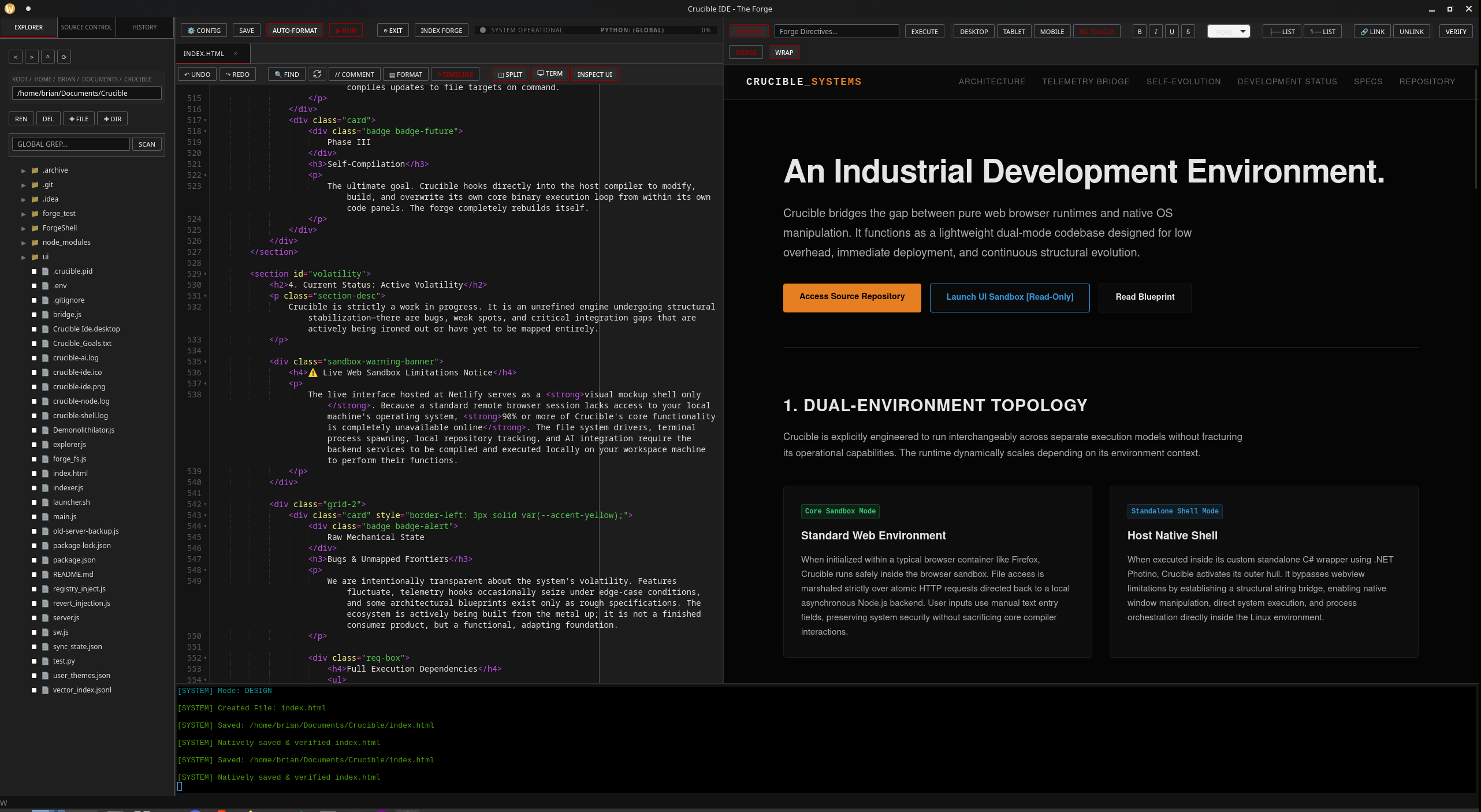
Bugs & Unmapped Frontiers
We are intentionally transparent about the system's volatility. Features fluctuate, telemetry hooks occasionally seize under edge-case conditions, and some architectural blueprints exist only as rough specifications. The ecosystem is actively being built from the metal up; it is not a finished consumer product, but a functional, adapting foundation.
Full Execution Dependencies & Prerequisites
- Node.js Environment: Runtime v16+ recommended. Handles local file tree asynchronous API structures and server layers.
- .NET 10 SDK/Runtime: Manages the structural compilation pipeline and native Photino window orchestration layers.
- C/C++ Build Tools: Required locally on the host OS for compiling native
node-ptyterminal bindings during package installation. - Local AI Server Endpoint: Local infrastructure runner (like LM Studio or Ollama) hosting an OpenAI-compatible server targeting
http://127.0.0.1:1234. - Target Inference Models: Requires a valid code chat engine (e.g.,
qwen2.5-coder-14b) and an operational embedding model (e.g.,text-embedding-nomic-embed-text-v2-moe).
Build WITH Us
We are seeking engineers, systems architects, and developers who want to work alongside us to refine the core platform. The mission is not just to correct existing friction points, but to use Crucible to optimize Crucible—and eventually, to collaborate on advanced, highly integrated applications that are unmapped by today's standards. It will be built to work directly with the developer to realize and thoroughly understand complex software layers.
To move past the web mockup limits and activate full industrial functionality, the tool must be pulled down directly into your host architecture using the operational deployment commands below.
Local Deployment and Initialization Procedures
Ensure all compiler prerequisites and C++ tools are available on your host system before cycling the setup environment:
Alternative automation launcher pathway: chmod +x launcher.sh && ./launcher.sh restart
5. Technical Stack & Specifications
Current mechanical inventory, dependencies, and deployment specs for the Crucible platform environment.
- The Application Window ShellC# Photino (.NET 10 Cross-Platform Architecture)
- The Backend Forge ProcessNode.js Async Module Engine (server.js Layout)
- Frontend Interface UI CoreHTML5 / CSS3 Responsive Grid / Vanilla ECMAScript
- Local Native Binary Dependenciesnode-pty (C/C++ bindings) / ws (WebSockets server)
- Remote Dynamic Dependenciesace.js (Cloudflare CDN) / xterm.js (jsDelivr CDN)
- OS Baseline TargetsFedora Linux / Universal POSIX Core Compliance
- Native Dialog InterceptorZenity Graphical Dialog Engine Wrapper
- Local Hardware Inference APIOpenAI-Compliant Loop / LM Studio Instance Gateway
- Deployment Domain Addresshttps://crucibleide.netlify.app
- Upstream Tracking Linkhttps://github.com/ArchKaine/Crucible
6. Enhanced Capabilities
Crucible offers a range of enhanced capabilities that leverage its unique architecture and integration with local systems.
File System Integration
Crucible provides seamless file system integration, allowing developers to navigate, create, rename, delete, and manage files and directories directly within the IDE. This is facilitated by the Photino shell's native capabilities and the Node.js backend's file system APIs.
Terminal Emulation
The integrated terminal emulates a full-featured bash shell, providing developers with direct access to their host machine's command line. This is powered by xterm.js and node-pty, enabling features like process spawning and input/output redirection.
Code Editing
Crucible uses Ace Editor for code editing, offering a rich set of features including syntax highlighting, autocompletion, and multiple cursors. The editor is loaded from a CDN to keep the local installation lightweight.